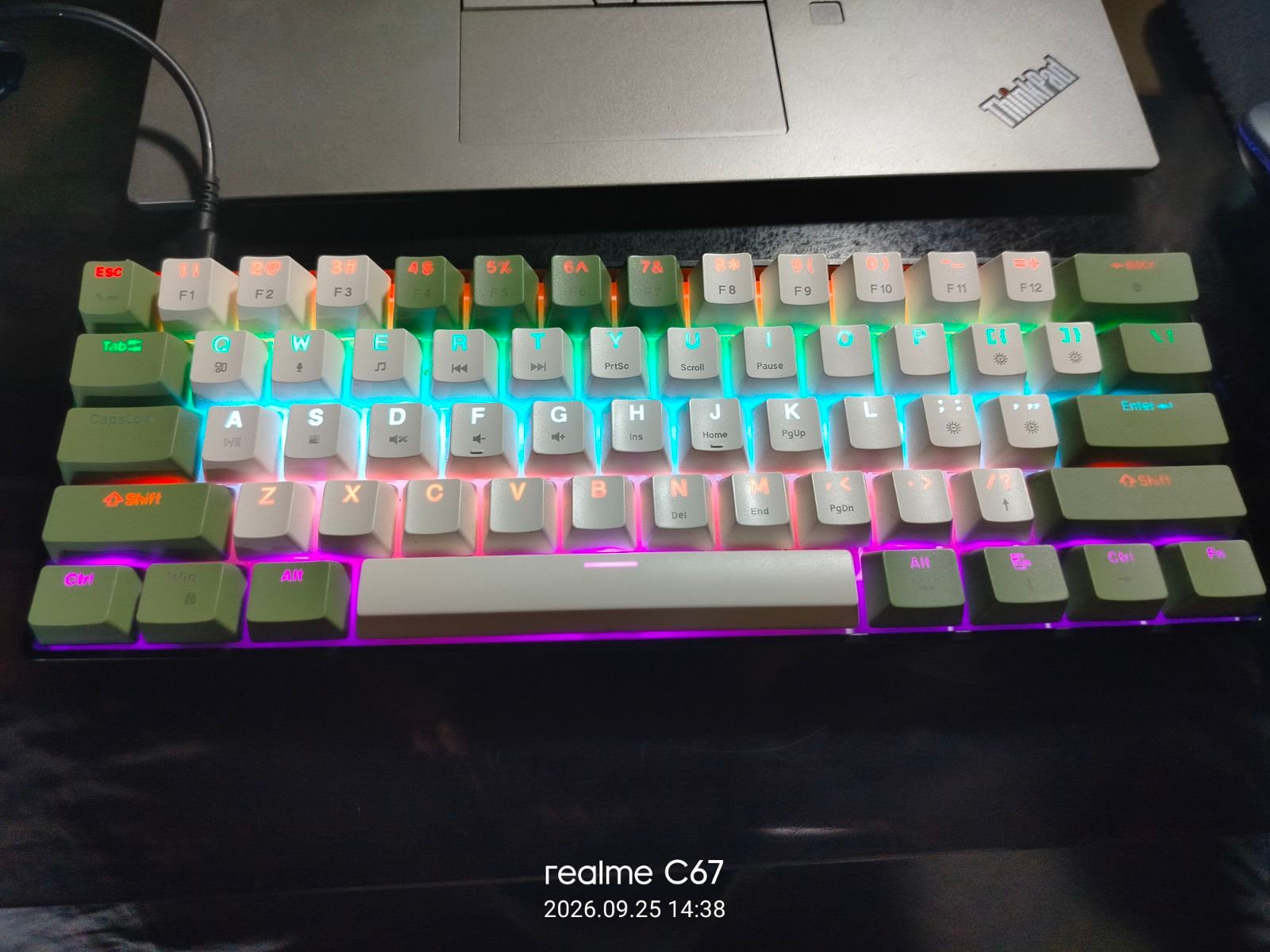
SPECIFICATIONS
Model
Zeus Z-G61
Layout
60%
Frame color
Black
Frame swap
—
Plate type
Metal
PCB type
North Facing, Per Row fixed Lighting
Mounting style
Tray Mount
Switches
Nobrand Blue Switches [Clicky]
Keycaps
OEM Profile, Doubleshot ABS
Keycap set
Zeus G61 Stock keycaps
Connection type
Wired
Battery size
—
Hotswap
No
Special features
None
Formerly known as
—
My beater Keyboard, Bought as a replacement for my Older Zeus G61 that was based off the Eweadn G61 Wired board. I bring theis board everywhere and just want to keep using it till the keycaps shine or till one of the blue switches break. Peopel do kinda find it annoying though so I do type with caution.
Gallery
Description
One of the cheapest mechanical keyboard from Shopee at the time of purchase, only 400 Pesos and I replaced the Keycaps to the Matcha themed one. its original set was Black and Pink, Giving it its original Callsign "Fallen Valentine"
Build timeline
Sometime around 2025 the keyboard arrived, And one month after that, I swapped the keycaps from an older Zeus G61 into this one because I am testing the keycap shine
Personal review
So I initially got this Zeus Z-G61 as a replacement for my older Zeus G61 that died after its motherboard's type-c Connector broke. The Z-G61 is significantly much lower quality than the standard G61 because it doesn't even support full NKRO and actually has ghosting issues when I played Need For Speed Most Wanted on it, so it's already not that good for gaming, Although still somewhat usable. The stock keycaps on this one used to be black and pink, the black are for the modifiers and the pink is for the alphas
In terms of feel the Z-G61 is quite tactile, Giving you a lot of feedback when you actuate the keys, But the clickiness of the whole thing makes it quite loud, especially in environments that have a lot of people around. As a beater keyboard I really just have it to test the durability of mechanical keyboards as a whole, Like I will keep using it till a switch stops working or the pcb somehow dies Naturally this time, I do not want an accident to kill another of my keyboards.
So far the board has taken a lot of the throwing around and late night coding sessions with a meal at the side, And the keycaps had just about began to start shining. The blue clone switches seem top wobble a bit more but they still remain clicky with the sharp tactile bump that they still have, so That seems to be a plus in the durability of the clone switches.
I won't plan to sink any more money into this keyboard, i got it for 550 pesos off Shopee, and I am fine with what it is for the price that it costs as my primary use for the beater board is gonna be just typing and coding and doing things outside the house.
In terms of feel the Z-G61 is quite tactile, Giving you a lot of feedback when you actuate the keys, But the clickiness of the whole thing makes it quite loud, especially in environments that have a lot of people around. As a beater keyboard I really just have it to test the durability of mechanical keyboards as a whole, Like I will keep using it till a switch stops working or the pcb somehow dies Naturally this time, I do not want an accident to kill another of my keyboards.
So far the board has taken a lot of the throwing around and late night coding sessions with a meal at the side, And the keycaps had just about began to start shining. The blue clone switches seem top wobble a bit more but they still remain clicky with the sharp tactile bump that they still have, so That seems to be a plus in the durability of the clone switches.
I won't plan to sink any more money into this keyboard, i got it for 550 pesos off Shopee, and I am fine with what it is for the price that it costs as my primary use for the beater board is gonna be just typing and coding and doing things outside the house.
Future build plans
Keep using till the keycaps shine completely and they are glossy or until a switch breaks and stops working.. I still have a lot of spare blue switches from the dead G61